Start the shift knowing who's arriving, who owes and who's waiting for a reply
Arrivals, departures, payments and guest messages on one screen, with Ambrosio answering what it already knows.
Plan: Operations · 360
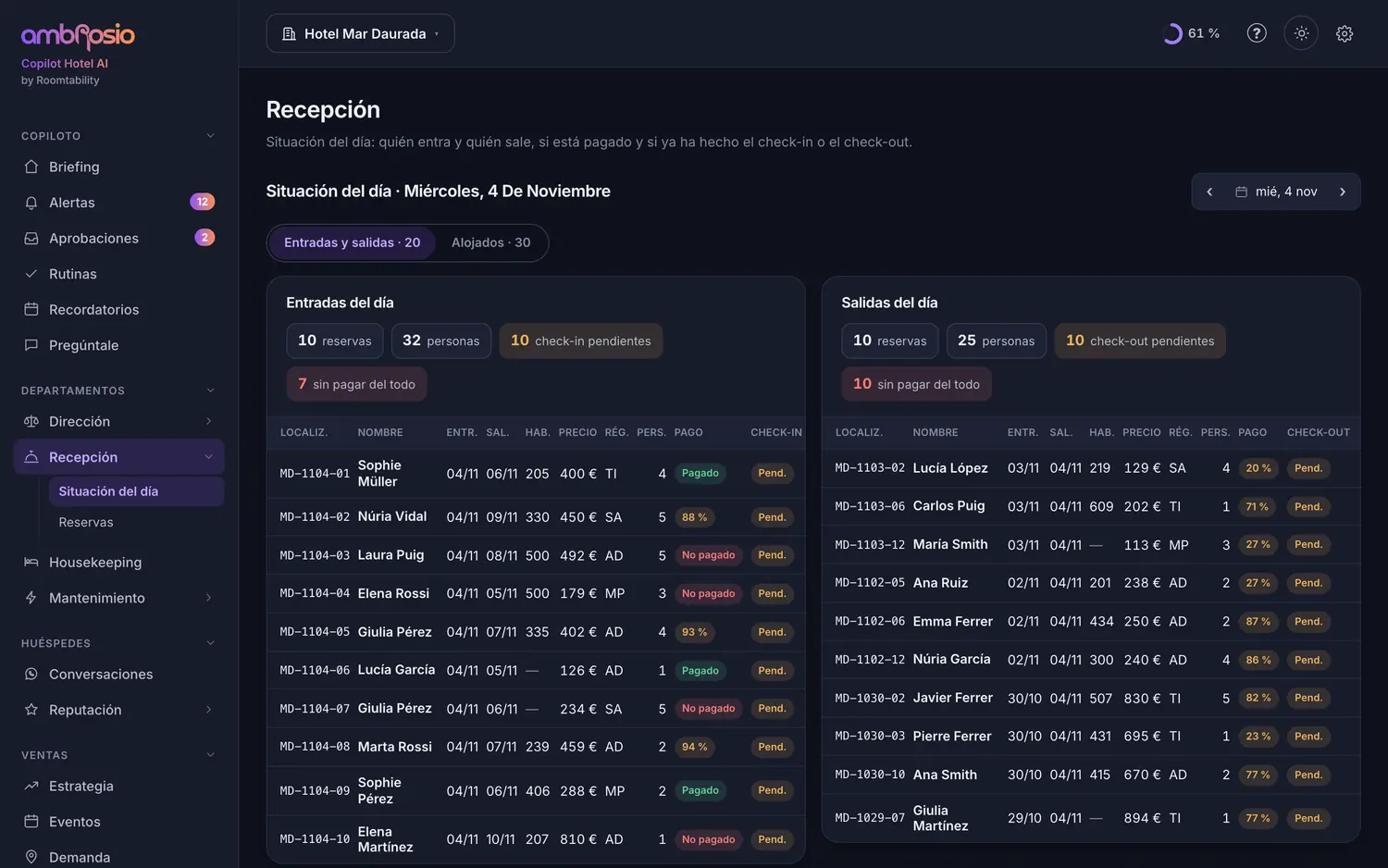
Real Ambrosio screens. Sample data.
Shift handovers lose things
What happened in the morning stays in a notebook or in someone's head.
Requests that never arrive
The coeliac guest or the extra cot stays in a booking note.
The same questions
What time is breakfast, what's the wifi, where can I park, all day long.
Ambrosio does the work. You decide.
It prepares the day
Arrivals and departures, who has a payment outstanding and what requests there are.
It hands things out
What each booking asks for reaches housekeeping, kitchen, restaurant or maintenance.
It answers what it knows
Chat and email in the guest's language; everything else it passes to you.
It closes the loop
Check-in, check-out and routines ticked off, so the next shift can see them.
What you get from day one
Today at a glance
Arrivals, departures and in-house guests, with payments and check-in at a glance.
Bookings
Search by name, booking reference or phone, with filters by date, payment and channel.
Booking record
Check-in, check-out, payments, guest permissions and messages in one place.
Conversations
All messages by booking, showing who's waiting for a reply and Ambrosio's draft.
Today's alerts
Outstanding payments, no-shows, requests and room assignment.
Routines
What's due each shift, with a reminder if nobody does it.
Ask Ambrosio
Examples with a fictional hotel. In your hotel it answers with your data and says what it has checked.
Continue with what concerns you most
Before you ask
Does it replace my PMS?
No. It works on top of your PMS: it reads the bookings and helps you run the day.
Can the team see contact details?
They're masked. Anyone with permission can see them after two-step verification, for 15 minutes, and it's recorded.
Does it work on mobile?
Yes, it installs like an app and receives notifications, with quiet hours if you want.
We'll show you with your hotel
A 20-minute video call. We look at your prices against your real competitors and at what Ambrosio would do for you tomorrow.